ShramkoGSFPV

Open-source FPV simulator · MIT

Fly an FPV drone through real 3D scans — right in your browser

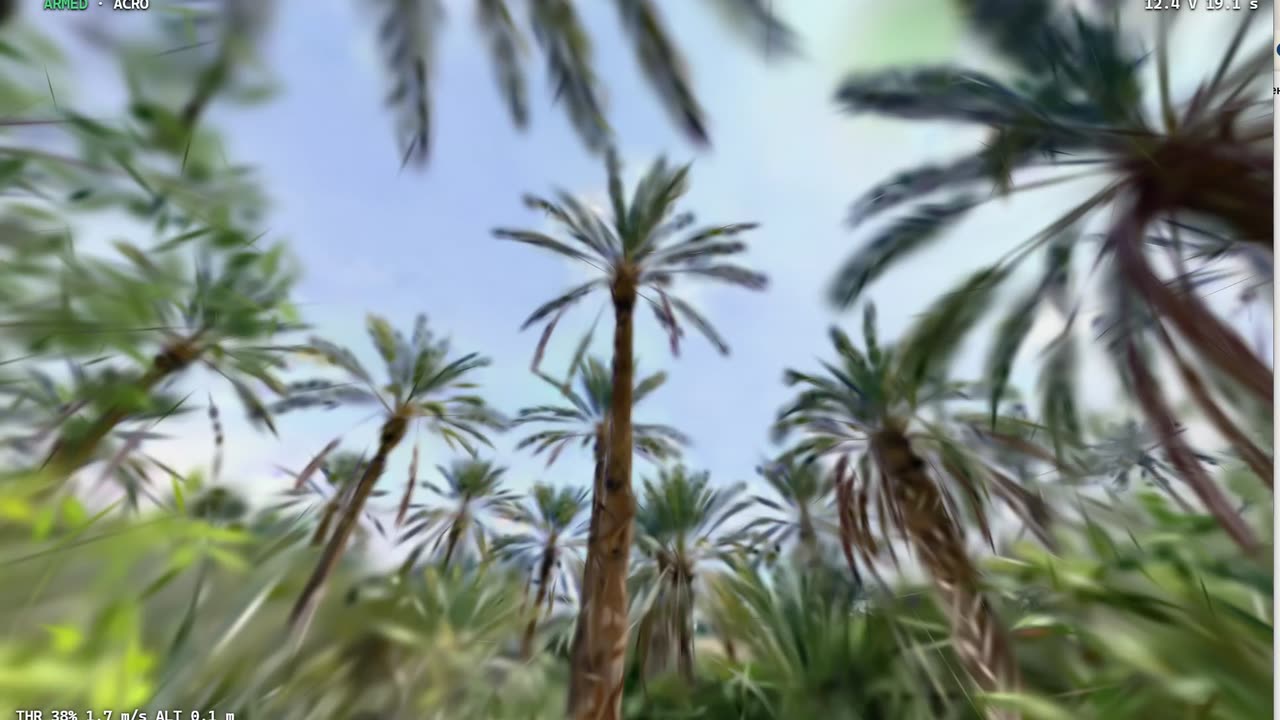
ShramkoGSFPV turns SuperSplat Gaussian Splatting scans into places you can fly: Betaflight-style rates and PID, walls you actually crash into, and your own radio over USB or touch sticks. Nothing to install.

Fly now — no install

Works best in desktop Chrome or Edge with WebGPU.

  • WebGPU + PlayCanvas
  • Rates checked against Betaflight 4.5.1
  • Swept voxel collision
  • MIT license

01How it works

Three steps from a scan to the air

No account, no download. The scene streams straight from SuperSplat into your browser.

  1. 01

    Pick a scan

    Start with one of Andrii's scans or paste the link to any public SuperSplat scene.

  2. 02

    Connect your controls

    Plug in an EdgeTX radio in USB joystick mode (WebHID), use a gamepad, or fly with touch sticks.

  3. 03

    Calibrate, arm, fly

    Move the sticks once to calibrate, arm with the throttle all the way down — like a real quad — and go.

02Why it feels real

A quad that behaves like the one in your hands

An own flight model — four motors, a mixer and a rate PID — flying inside the real geometry of the scan.

  • Walls are solid

    Every physics tick sweeps the drone's body against the scan's voxel collision data, so a fast quad can't slip through a thin wall between frames.

  • Crashes are crashes

    Hit something hard and the quad tumbles and throws debris. Brush a wall gently and it slides along it.

  • Your rates, to the digit

    Betaflight, Actual, KISS and Raceflight rate curves match compiled Betaflight 4.5.1 to the last digit.

  • Replays you can trust

    Flights are recorded as stick input and replay deterministically: the same inputs always give the same flight.

  • Gravity is a setting

    Earth, Moon, Mars or zero-g. On the Moon the same drone gets extremely twitchy — the “keep thrust-to-weight” switch tames it.

Default craft

BetaFPV Pavo20 Pro class, 3S

Every number says where it comes from.

Wheelbase
93.7 mmmanufacturer
Motors
LAVA 1104 7200KVmanufacturer
Weight
70.1 g · 108 g with O3measured by Oscar Liang
Thrust-to-weight
>5:1manufacturer claim
Battery weight
≈ 45 gestimate
Duct size
≈ 30 mm radiusestimate

“Class” means the numbers follow public specs and measurements. BetaFPV does not endorse this preset.
03Live numbers

We publish our own numbers because nobody else publishes theirs.

Each figure is read from the repository's evidence file when this site is built. If a measurement goes missing, the build fails.

Rate curves vs Betaflight 4.5.1

1880 points, max error 0 deg/s

Method
compiled Betaflight 4.5.1 rate functions vs our re-implementation
Date
2026-09-24

Flying through walls

0 wall pass-throughs in 200,000 straight passes

Method
swept test at 1 ms ticks vs independent resampling oracle; speeds 5, 10, 15, 25, 34.39 m/s; 3 real scans + 2 cm synthetic wall
Date
2026-09-24

Wall clearance, Pavo20 Pro

Pavo20 Pro body stops 47.2 mm (median) beyond its own size from walls on the 5 cm voxel collision of scene 39e63ce9

Method
swept approach along 200 directions from 12 points
Date
2026-09-24

Stick-to-screen latency

Display-limited

The test display runs at 30 Hz, so this result is bounded by the screen rather than by the simulator. It is published, but it is not gated.

Stick-to-photon latency with a camera has not been measured yet.

Output rate
28.2 Hz
Median
252.5 ms
95th percentile
295.4 ms
Blank-page floor
65.4 ms
Conditions:
DaVinci Resolve open on the same GPU (22.4 of 24.5 GB VRAM in use, GPU 20-52 %)
Method:
SendInput F13 (QPC) -> first Desktop Duplication frame whose marker shows that input; stock Chrome, fresh profile; N=220 per mode
Date:
2026-09-24

Values and methods are quoted from the evidence file as published, in English. Evidence file updated 2026-09-24.

All raw evidence on GitHub

04Andrii's scans

Start with a real place

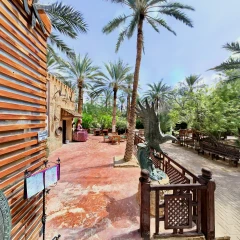
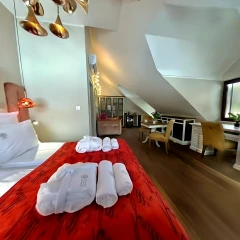
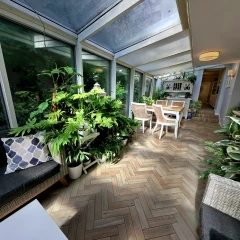
Three scans by Andrii Shramko, free to fly and share under CC BY 4.0.

05Works with your radio

What works with your radio today

An honest matrix: nothing is marked as tested unless it was, and so far that means emulation or a simulated radio.

  • Browser: Chrome / Edge, desktop

    Input: EdgeTX radio (RadioMaster TX16S, Boxer, Pocket, Zorro) as a USB joystick over WebHID

    Status: Not tested on real hardware yet — tested with a simulated EdgeTX radio

  • Browser: Chrome / Edge, desktop

    Input: Gamepad

    Status: Not tested on real hardware yet

  • Browser: Chrome / Edge, desktop

    Input: DJI remote as a gamepad

    Status: Not tested

  • Browser: Safari, iPad, Android

    Input: Touch sticks

    Status: Tested in emulation

  • Browser: Firefox

    Input: Radio or gamepad

    Status: Scene viewing only — radios need Chrome or Edge (no WebHID)

Have an EdgeTX radio? A short test report helps a lot — use the contact form below or open an issue on GitHub.

06Why this is better

How it compares

Facts as of September 2026. “Unknown” means we could not verify it.

Comparison of ShramkoGSFPV with the SuperSplat viewer, browser splat-FPV demos and classic FPV simulators, September 2026
FeatureShramkoGSFPVWalking in the SuperSplat viewerBrowser splat-FPV demos (e.g. SplatFPV)Classic FPV simulators (fixed maps)
Real scanned placesAny public SuperSplat sceneYesYes, one file at a timeNo, fixed maps
Drone model4 motors, mixer, rate PIDNone: a walking or flying cameraFirst-order rate filterFull
Your own ratesBetaflight, Actual, KISS, RaceflightNot applicableFlat max rate plus expoYes
Hitting a wallCrash and tumbleSlide along itStop or slideCrash
Collision sourceSuperSplat's voxel octree, swept testSuperSplat's voxel octreeRebuilt at load, point testHand-made meshes
Radio inputEdgeTX over WebHID, gamepad, touchGamepadGamepad APIUSB joystick
Published test numbersYes, see Live numbersunknownunknownunknown
InstallNoneNoneNoneYes
Source codeMITMITVariesClosed

Classic simulators are still the place to train for races on purpose-built tracks. This project is about flying real places.

07For your AI agent

Let your coding agent set it up

Paste this into Claude Code, Codex, Cursor or any coding agent. It installs the project, runs the checks and opens the simulator locally, and only asks you for passwords or physical actions.

Prompt
Set up ShramkoGSFPV for me by following https://github.com/AndriiShramko/ShramkoGSFPV/blob/main/AGENT_SETUP.md exactly. Install, run the checks, start the simulator locally and open it in Chrome. Do not change any system settings; ask me only if a step needs my password or a physical action.

Docs written for agents

08Risks & safety

What can go wrong

Short and honest, so nothing catches you by surprise.

  • Scene data can change without notice

    Scenes load from SuperSplat's public but undocumented CDN. It can change at any time, and some scenes may stop loading.

  • Many scans have no collision data yet

    Those scenes can be flown through, not crashed into. In-browser collision baking is coming.

  • Motion sickness

    Crashes and fast flight can make you queasy, so take breaks. Effects never flash the whole screen, and your reduced-motion setting is respected.

  • A simulator is not a real flight

    Practise responsibly, follow your local drone law and never fly over people.

  • Your data stays with you

    Calibration, flight history and favourites are stored only in your browser.

09FAQ

Questions people ask

How can I fly an FPV drone through a 3D Gaussian Splatting scan?

Open ShramkoGSFPV in desktop Chrome or Edge, pick one of Andrii's scans or paste a SuperSplat link, connect a radio, a gamepad or touch sticks, then calibrate, arm and fly. There is nothing to install.

Can I use my RadioMaster radio in the browser?

That is what it is built for: switch an EdgeTX radio such as the TX16S, Boxer, Pocket or Zorro to USB joystick mode and connect it over WebHID in Chrome or Edge. So far this has been tested only with a simulated EdgeTX radio, not with real hardware.

Is there a free FPV simulator that runs in the browser?

Yes. ShramkoGSFPV is free and open source under the MIT license. It runs on WebGPU in desktop Chrome or Edge, with no download.

Which SuperSplat scenes can I fly?

Any public SuperSplat scene, by link or id. Scenes that come with voxel collision data have solid walls; the rest can be flown through but not crashed into until in-browser collision baking lands.

Does it work on iPad or phone?

Touch sticks have been tested in emulation only, not on real devices yet, and you need a browser with WebGPU. Radios need desktop Chrome or Edge.

Is the flight physics like Betaflight?

The rate curves (Betaflight, Actual, KISS, Raceflight) match compiled Betaflight 4.5.1 to the last digit, and a rate PID drives four motors through a mixer. It is our own flight model, not Betaflight firmware.

Do I crash into walls or fly through them?

On scenes with collision data you crash: the drone's body is swept against the voxel data on every physics tick, and a test harness checks that fast flight cannot tunnel through walls. See Live numbers for the result.

Is it open source?

Yes, MIT. Code, measurements and design decisions are on GitHub. Betaflight's formulas were re-implemented; no GPL code was copied.

10Open source

MIT-licensed and built in the open

Code, measurements and every design decision live on GitHub. Pull requests, test reports from real radios and new scans are welcome.

Built on the work of others

  • PlayCanvasMIT

    The engine that renders the scans, and the SuperSplat viewer, whose collision code is vendored here.

  • RapierApache-2.0

    Deterministic physics for the crash: the tumbling craft and its debris.

  • BetaflightGPL-3.0

    Rate and PID formulas were read from Betaflight 4.5.1 and re-implemented. No GPL code was copied.

  • SplatFPVMIT

    An earlier browser experiment that showed FPV through splats is possible. No code was taken.

11Contact

Let's build it together

Andrii Shramko

FPV pilot and 3D Gaussian Splatting specialist, author and maintainer of ShramkoGSFPV.

Always open to interesting people — and ready to help teams build incredible projects.

I'm looking for FPV pilots, scanning studios, drone vendors, investors and developers — for partnership, licensing, integration or funding. Tell me who you are in one click.

Collaboration request

I am a…

0/500

To send, add who you are, a valid email, and your consent.